
Ever found yourself staring at your computer screen at 11 PM, manually copying and pasting your latest blog post across Facebook, Instagram, LinkedIn, and—wait, did you already post to Twitter? Or was that yesterday’s post?
If you’ve ever experienced that sinking feeling of social media overwhelm, you’re not alone. Managing multiple social platforms while trying to run a website is like juggling flaming torches while riding a unicycle. Sure, it’s impressive when it works, but most of us just end up burned out.
The good news? There’s a better way. Social Post Flow lets you automatically share your WordPress content across seven different social networks without the headache, the hassle, or the hefty price tag. Think of it as your personal social media assistant that never sleeps, never forgets, and costs less than your monthly coffee budget.
Why Bother with Social Media Automation Anyway?
Before we dive into the how, let’s talk about the why. You might be thinking, “Can’t I just manually post to social media when I remember?” Sure, you could also wash your dishes by hand when you have a perfectly good dishwasher sitting right there.
Here’s the reality: over five billion people are using social media worldwide in 2025. That’s not just a number—it’s an opportunity. But here’s the catch: each platform has its own audience, its own peak times, and its own vibe. Your LinkedIn crowd isn’t looking for the same content at the same time as your Instagram followers.
Manual posting means you’re either spending hours crafting unique posts for each platform, or you’re posting inconsistently and watching your engagement tank. Research shows that consistency is one of the biggest factors in social media success. Cross-posting can significantly enhance your reach while saving enormous amounts of time. But who has time to post to seven different networks every time they publish something new?
That’s where automation swoops in like a caffeinated superhero.
Meet Your New Best Friend: Social Post Flow
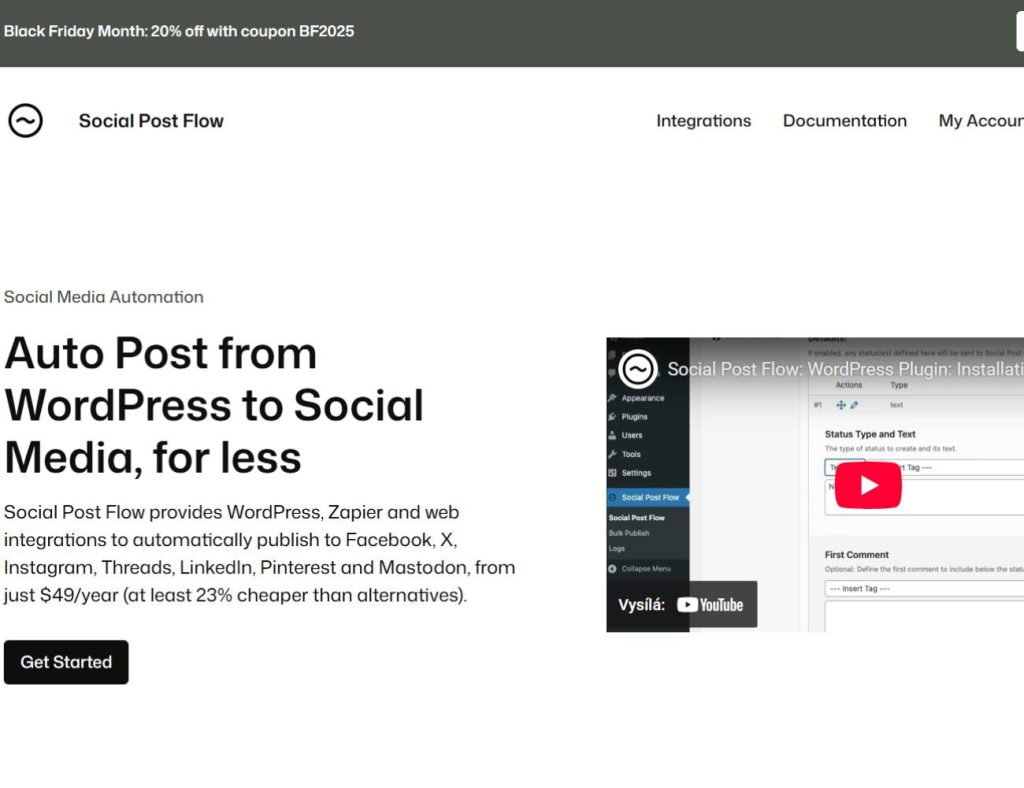
Social Post Flow isn’t trying to be everything to everyone. It’s not packed with a thousand features you’ll never use or complex dashboards that require a PhD to navigate. Instead, it does one thing brilliantly: it automatically publishes your WordPress content to Facebook, X (formerly Twitter), Instagram, Threads, LinkedIn, Pinterest, and Mastodon.
The creator behind Social Post Flow has been building WordPress-to-social-media integrations since 2016. After hearing the same complaint repeatedly from customers—that mainstream social media management tools were getting ridiculously expensive—they decided to create something different. Something affordable. Something built specifically for WordPress users who just want their content shared without the complexity.
Think of it this way: if Buffer and Hootsuite are like flying first class, Social Post Flow is like finding a direct flight that gets you to the same destination for a fraction of the price. You might not get the champagne and hot towels, but you’ll arrive just as quickly and with your wallet intact.
What Makes Social Post Flow Different?
Let me paint you a picture. Imagine you’re running a small business or managing a personal blog. You’ve just published an article you’re genuinely proud of—something that took hours of research, writing, and editing. Now comes the tedious part: promoting it.
With most social media tools, you’re looking at monthly subscriptions starting at $15-30 per month for basic features, and quickly climbing to $60-99+ for anything resembling decent functionality. Some enterprise plans hit $200+ per month. For smaller sites and businesses, that’s a tough pill to swallow.
Social Post Flow flips that model. At just $49 per year for up to five social media profiles, you’re paying about $4 per month. Need more profiles? The Growth plan gives you 15 social media accounts for $99 per year—that’s about $8 monthly. Compare that to competitors charging $30-60 per month for similar capabilities, and you’re saving at least 23% (and often much more).
But price isn’t everything. You might be wondering, “What’s the catch?”
There isn’t one. You’re just trading the bells and whistles of enterprise platforms for a focused, WordPress-first solution that does exactly what most users actually need.
The Seven Networks That Matter
Social Post Flow connects to the platforms where your audience actually hangs out. Let’s break them down:
Facebook remains the giant in the room, perfect for reaching broad audiences and community engagement. Instagram is your visual storytelling hub, ideal for lifestyle content and building aesthetic appeal. LinkedIn positions you as a professional thought leader and connects you with business-minded audiences. X (Twitter) keeps you in real-time conversations and trending topics. Pinterest drives long-term traffic through visual discovery, especially for how-to content and inspiration. Threads offers a newer, more casual text-based community. Mastodon provides a decentralized alternative for privacy-conscious audiences.
Coming soon? TikTok, Bluesky, and Google Business are on the roadmap. The plugin is actively evolving based on what users actually need.
Setting Up Your Automation Station
Getting started with Social Post Flow is refreshingly straightforward. No complicated API configurations or technical wizardry required. Here’s how it works:
First, you’ll create your Social Post Flow account at socialpostflow.com. The good news? Every plan comes with a seven-day free trial with no credit card required. You can test drive the entire system before spending a penny.
Once you’re in, connect your social media profiles. The interface walks you through authorizing each platform—Facebook pages, Instagram accounts, LinkedIn profiles, whatever combination you need. This part usually takes about five minutes, assuming you remember all your passwords.
Next, install the Social Post Flow WordPress plugin from the official WordPress plugin directory. Search for “Social Post Flow” in your WordPress dashboard under Plugins > Add New, click install, then activate. The plugin has received positive reviews and maintains a 5.0 rating from users.
After activation, you’ll authorize the plugin to connect with your Social Post Flow account. This creates the bridge between your WordPress site and your social networks. Think of it like introducing your WordPress site to your social media accounts at a party—they exchange information, shake hands, and suddenly they’re all working together.
Customizing Your Content for Each Network
Here’s where Social Post Flow gets clever. Not every social network wants the same message delivered the same way. Your professional LinkedIn audience isn’t looking for the same tone as your casual Instagram followers.
The plugin lets you configure different status messages for each post type and social profile. Your blog posts can have completely different messaging than your WooCommerce products or event announcements.
Dynamic tags are your secret weapon here. These are special placeholders wrapped in curly braces that automatically pull information from your WordPress posts. For example:
“New blog post: {title} – {excerpt} Read more: {url}”
When you publish, Social Post Flow automatically replaces {title} with your actual post title, {excerpt} with your excerpt, and {url} with your post link. Available tags include {title}, {content}, {excerpt}, {url}, {author}, {date}, custom fields, and more.
This means you can create truly unique social media posts without manually typing each one. Your Instagram post might emphasize visual appeal and hashtags, while your LinkedIn version takes a more professional angle—all generated automatically from the same WordPress post.
Scheduling Like a Pro
You’ve got three scheduling options with Social Post Flow, each suited to different strategies:
Immediate Publishing sends your post to social media the instant you hit publish on WordPress. Perfect for time-sensitive content or when you want that immediate buzz around a new post.
Specific Date and Time lets you schedule social posts for optimal times. Research shows that different platforms have different peak engagement times. You might want your LinkedIn post going out at 8 AM on Tuesday when professionals are checking updates, but your Instagram post at 7 PM when people are relaxing after work.
Queue-Based Publishing adds posts to your Social Post Flow queue, which distributes them according to the optimal posting schedule you’ve configured in your account. This is brilliant for maintaining consistent activity without flooding your followers’ feeds all at once.
The plugin also includes built-in protection to prevent duplicate posts and over-posting that could trigger spam flags on your social accounts. It’s like having a safety net that keeps your social profiles healthy.
Conditional Publishing: The Smart Filter
Not every post needs to go everywhere. Sometimes you write content that’s perfect for LinkedIn but would flop on Instagram. Or maybe you only want posts from specific authors or categories shared socially.
Social Post Flow includes conditional publishing rules that let you publish posts only when specific conditions are met. You can filter by:
- Post author (only share posts from certain team members)
- Taxonomy terms (specific categories or tags)
- Custom field values (metadata you’ve added to posts)
- Any combination of criteria
This ensures only the right content reaches your social audiences. It’s like having a bouncer at an exclusive club, making sure only the perfect content gets through to each platform.
Breathing New Life Into Old Content
One of the most underutilized strategies in content marketing is repurposing evergreen content. You’ve probably got dozens (or hundreds) of blog posts sitting in your archives that could still drive traffic and engagement.
Social Post Flow includes automatic content recycling features. You can set the plugin to automatically resurface old posts that haven’t been updated recently. Define the time period—maybe posts older than six months—and let the system work its magic.
There’s also a bulk publish feature for manually selecting multiple older posts and republishing them to social media all at once. Perfect for promotional campaigns or filling gaps in your social calendar.
The smart duplicate prevention system tracks which posts have been shared, ensuring you’re not accidentally posting the same content too frequently. Your social feeds stay fresh and engaging without requiring constant monitoring.
Images That Pop on Every Platform
Visual content drives engagement. Posts with images receive significantly more likes, shares, and comments than text-only posts. But here’s the annoying part: every social network has different image size requirements and best practices.
Social Post Flow handles the heavy lifting. You can include images from multiple sources:
- Featured images from your WordPress posts
- Additional images uploaded directly in the plugin
- Advanced Custom Fields (ACF) image or gallery fields
- Inline images from your post content
- Custom field image URLs
The plugin automatically formats and optimizes images for each social network’s requirements. Your visuals look perfect on Instagram’s square format, Facebook’s wider layout, Pinterest’s vertical orientation, and everything in between.
No more manually resizing images or wondering if your carefully crafted graphic will get cropped awkwardly.
Beyond Just WordPress: The Zapier Connection
Social Post Flow isn’t limited to just your WordPress site. Included with every plan is access to Zapier integration. For those unfamiliar, Zapier is like the universal translator of web apps—it connects different services together even when they don’t normally talk to each other.
This opens up possibilities beyond WordPress publishing. You can automate posting to social media from:
- Airtable databases
- Trello boards
- Google Sheets
- Notion pages
- RSS feeds from any source
- And thousands more apps
Imagine automatically sharing new products added to your Airtable inventory, or posting updates when someone adds a task to a specific Trello list. The Zapier integration handles use cases not covered by the WordPress plugin alone.
Developer-Friendly Features
For the technically inclined, Social Post Flow includes features that make customization straightforward:
WP-Cron Support enables sending status updates via scheduled tasks, improving UI performance and ensuring reliable posting even during high-traffic periods.
WP-CLI Integration lets you use WordPress command-line interface commands to repost old posts, manage social connections, and automate tasks from the command line.
Hooks and Filters provide extensive action and filter hooks, allowing developers to customize behavior, integrate custom post types, and extend functionality to meet specific requirements.
These features make Social Post Flow flexible enough for custom implementations while remaining simple enough for non-technical users.
Support for Custom Post Types
Your WordPress site probably has more than just standard posts. Maybe you’re running a WooCommerce store with products, or using an events calendar, or showcasing portfolio pieces.
Social Post Flow works seamlessly with any custom post type. Each post type can have its own status configurations and social media settings. Your WooCommerce products can automatically share with pricing and purchase links, while your events can include dates and registration information—all customized specifically for each content type.
This flexibility means one plugin handles all your content, regardless of how complex your WordPress setup becomes.
The Reality Check: Is Automation Right for You?
Let’s address the elephant in the room: automation isn’t a silver bullet, and anyone telling you it is probably selling snake oil.
Social media automation excels at distribution—getting your content in front of people efficiently. What it doesn’t do is replace genuine human interaction. When someone comments on your social posts, they’re hoping for a real response, not an automated reply. Customer interaction should never be automated.
Think of automation as handling the heavy lifting—the repetitive task of posting content—so you have more time for the meaningful work of engaging with your community, responding to comments, and building relationships.
The sweet spot is using Social Post Flow to maintain consistent presence and reach, while dedicating your human energy to actual conversations and connections.
Real-World Use Cases
Let me share how different types of users might leverage Social Post Flow:
The Solo Blogger publishes two articles per week. Instead of spending 30 minutes manually posting to seven networks each time (that’s an hour per week, 52 hours per year), they set up automated posting with customized messages. Time saved: about 50 hours annually.
The Small Business Owner runs a local shop and publishes product updates, blog posts, and community content. They use conditional publishing to ensure product posts go to Facebook and Instagram but not LinkedIn, while thought leadership content hits LinkedIn but skips Pinterest. Their social presence looks intentional and curated, not like they’re blasting the same message everywhere.
The Content Agency manages ten client WordPress sites. By setting up Social Post Flow for each client with tailored settings, they’ve eliminated hundreds of hours of manual social posting. The time savings translate directly to profitability and the ability to take on more clients.
The Course Creator publishes lessons, blog posts, and promotional content. They use the evergreen content recycling feature to automatically reshare popular lessons every few months, driving consistent traffic back to registration pages without additional work.
Frequently Asked Questions
You might be wondering: Won’t my followers notice I’m posting the same content everywhere?
The beauty of dynamic tags and platform-specific customization means your posts don’t have to be identical. With a bit of setup, your Facebook post can emphasize community discussion, your Instagram can focus on visuals with hashtags, and your LinkedIn can take a professional angle—all from the same WordPress post.
What about posting limits?
Can I still manually post sometimes?
Absolutely. Social Post Flow handles automated posting based on your settings, but you maintain complete control. Turn automation on or off per post, use manual scheduling, or handle specific posts completely manually. The plugin adapts to your workflow, not the other way around.
Making the Decision
At the end of the day, Social Post Flow comes down to a simple value proposition: save substantial time managing social media, maintain consistent presence across seven major networks, and do it all for significantly less money than mainstream alternatives.
For $49 per year, you’re paying about 13 cents per day. That’s less than a gumball. If your time is worth anything—and it is—the plugin pays for itself after saving just a couple of hours.
The seven-day free trial removes any risk from trying it out. You can set everything up, test it with real posts, and see if it fits your workflow before paying anything.
Getting Started Today
Ready to reclaim your time and boost your social media presence? Here’s your action plan:
Head to socialpostflow.com and sign up for the free trial. Spend fifteen minutes connecting your social profiles. Install the WordPress plugin and authorize it. Configure one or two custom status messages using dynamic tags. Publish a post and watch it automatically appear across your social networks.
That’s it. You’re now running a sophisticated social media automation system that would make marketing agencies jealous.
The beautiful part? Once it’s set up, you can largely forget about it. The plugin runs quietly in the background, sharing your content, maintaining your social presence, and freeing you up to focus on what actually matters—creating great content and connecting with your audience.
Your future self, scrolling through engaged social media feeds at 2 PM instead of manually posting at 11 PM, will thank you.